Phishing · 3 min read
The fake “I'm not a robot” check that hacks you
A CAPTCHA that asks you to press a few keys isn't checking if you're human. It's tricking you into installing malware yourself.
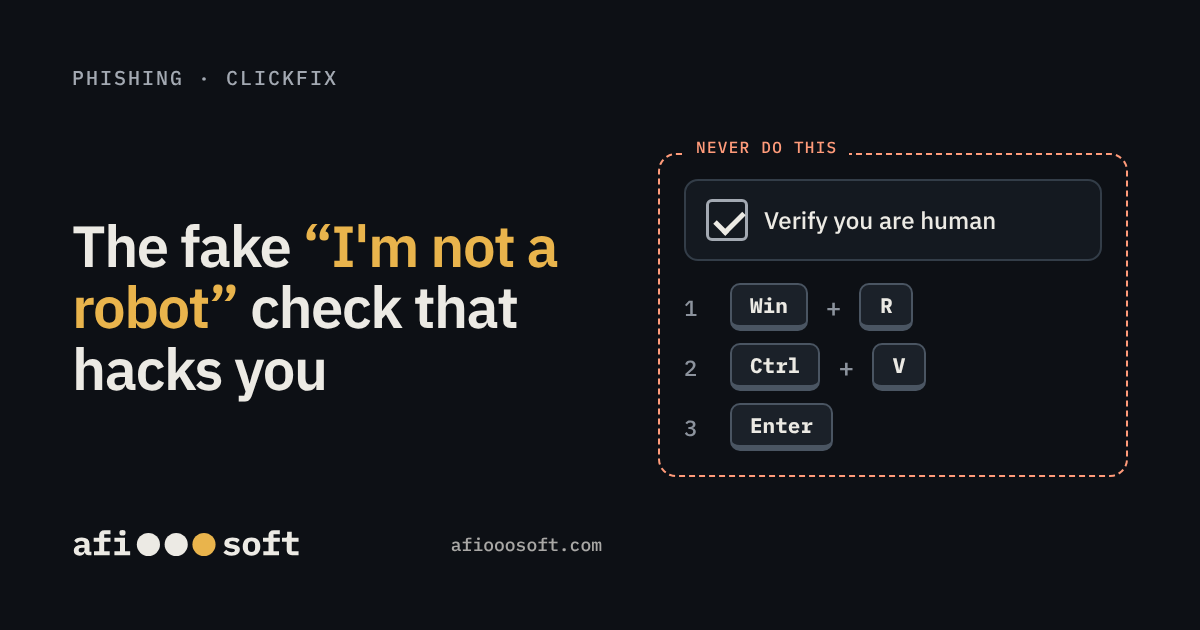
You search for a recipe, a PDF, or the opening hours of a shop. You click a result and a familiar box appears: “Verify you are human.” You tick it. But instead of letting you through, the page shows three quick steps:
- Press the Windows key and R.
- Press Ctrl and V.
- Press Enter.
It looks like a slightly unusual security check. It takes two seconds. And it has just handed your computer to a stranger.
This trick is called ClickFix. Security researchers named it in 2024, and it has kept spreading since, reaching ordinary computers at home and at work.
What actually happened
When you clicked “I’m not a robot,” the page quietly copied a command to your clipboard. You couldn’t see it.
The Windows key and R opened the Run box, a tool that runs commands directly on your computer. Ctrl and V pasted the hidden command into it. Enter ran it.
That command usually downloads a type of malware called an infostealer. In a few seconds it collects your saved browser passwords, the cookies that keep you logged in to email and banking, autofill details, and sometimes cryptocurrency wallets. Then it sends them to the attacker.
The clever part is that you ran the command. To your computer, it looks like something you chose to do, so security warnings that would normally stop a suspicious download may never appear.
Where you’ll meet it
ClickFix doesn’t only hide behind fake CAPTCHAs. The same “press these keys to continue” trick shows up as:
- A “verify you’re human” box on a hacked but otherwise genuine website.
- A fake error message saying a page, document or video “can’t display” and offering a fix.
- A fake job application page where the “Apply” button copies the command.
- Malicious ads in search results, and links in phishing emails.
On a Mac, the steps ask you to open Terminal and paste instead. The idea is the same.
The one rule that stops it
A real CAPTCHA never asks you to leave your browser. Genuine checks happen entirely inside the web page: you tick a box, pick some pictures, or wait a moment.
So if any website, pop-up, email or document asks you to:
- press Windows key + R or Windows key + X,
- open PowerShell, Command Prompt, Terminal or the Run box,
- or paste something into any of them,
stop. It isn’t a security check. It’s an attack.
What to do if you see one
- Don’t press anything. Close the tab, or the whole browser if the page won’t let you leave.
- Clear your clipboard. Copy any harmless word so the hidden command is overwritten.
- Report it. At work, tell your IT or security team the website address. They can block it for everyone.
What to do if you already ran it
Don’t panic, and act quickly:
- Disconnect the computer from the internet: unplug the cable and turn off Wi-Fi.
- Tell your IT or security team straight away. At home, have the computer checked or reset before using it again.
- From a different, clean device, change your important passwords, starting with email, banking and work accounts. Choose “sign out of all sessions” where you can, because stolen login cookies can work even after a password change.
- Turn on multi-factor authentication for those accounts if it isn’t on already.
For organisations
If you manage a team, three steps make a real difference: tell people about this one rule in your next awareness message, block the Run box and PowerShell for staff who don’t need them, and make sure endpoint protection watches for PowerShell launched from the Run box.
Final thoughts
ClickFix works because it borrows something we trust, the humble “I’m not a robot” check, and asks us to do the attacker’s work for them. Remember one sentence and you’re safe: a website should never ask you to run anything on your computer.
Sources: McMaster University IT notice on ClickFix attacks (March 2026); Seraph Secure: Meet ClickFix (March 2026).